The operations control center you can build yourself
Pulso watches your business data with SQL, opens a signal when something needs attention, and walks the right person through how to handle it. The same way, every time.
No credit card · Unlimited users · Built into Slack
Your data already knows what went wrong
A payment that failed, an order stuck in the warehouse, a transfer nobody matched. It is all in your database, but someone has to go and look, and then remember how it was handled last time.
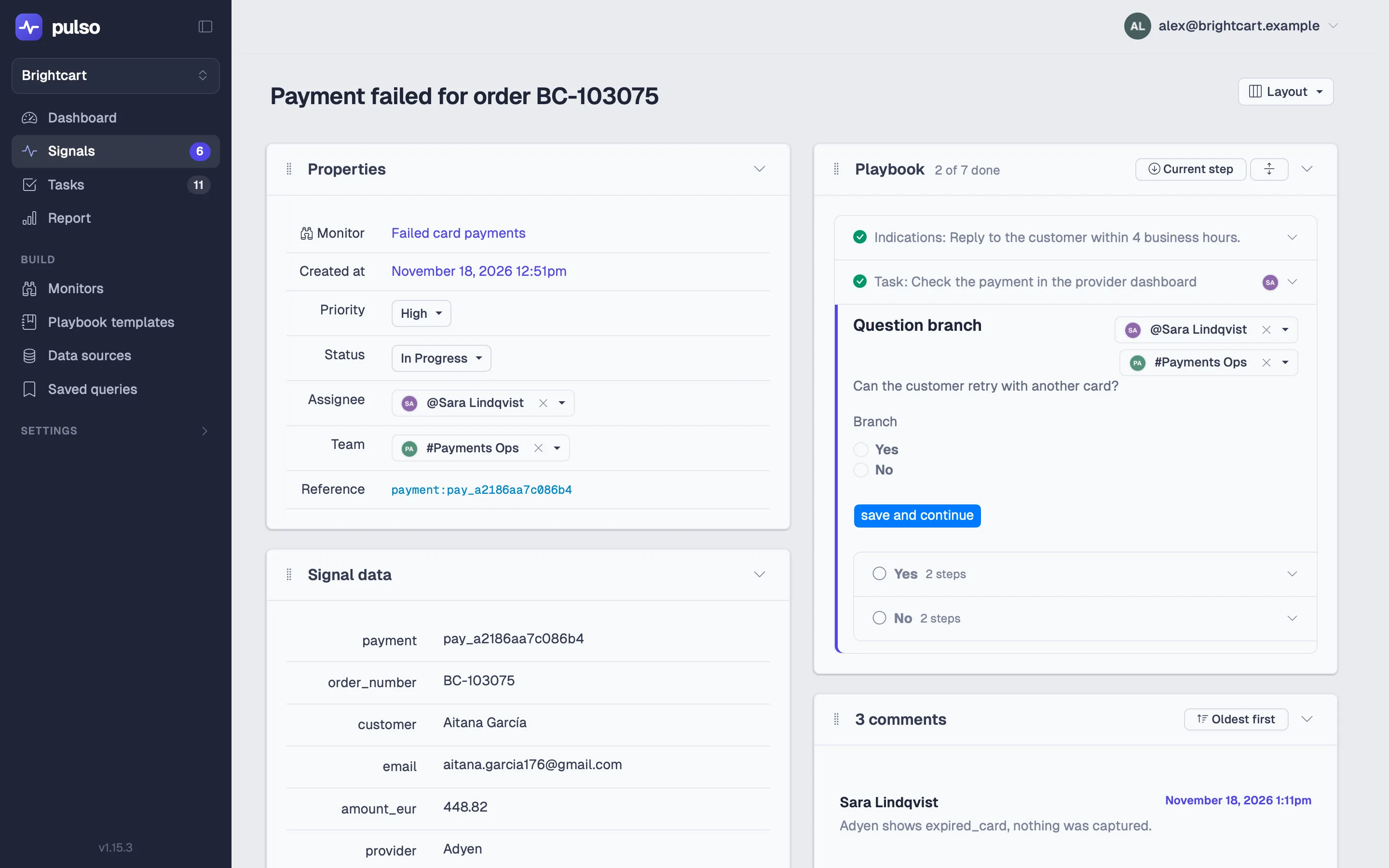
Pulso does the looking for you. Each problem becomes a signal with its data, an owner and the steps your team agreed on, so nothing depends on who happens to be on shift.
Payment failed for order BC-103075
Adyen · expired_card · €448.82
Liam Müller was charged twice for BC-104182
Stripe · 2 charges in 4 min
Transfer TRF-88213 has no invoice
€1,250.00 · 3 days ago
From a query to a case handled
Three pieces that fit together, so your team can set up the checks it needs without waiting for an engineering sprint.
Monitors
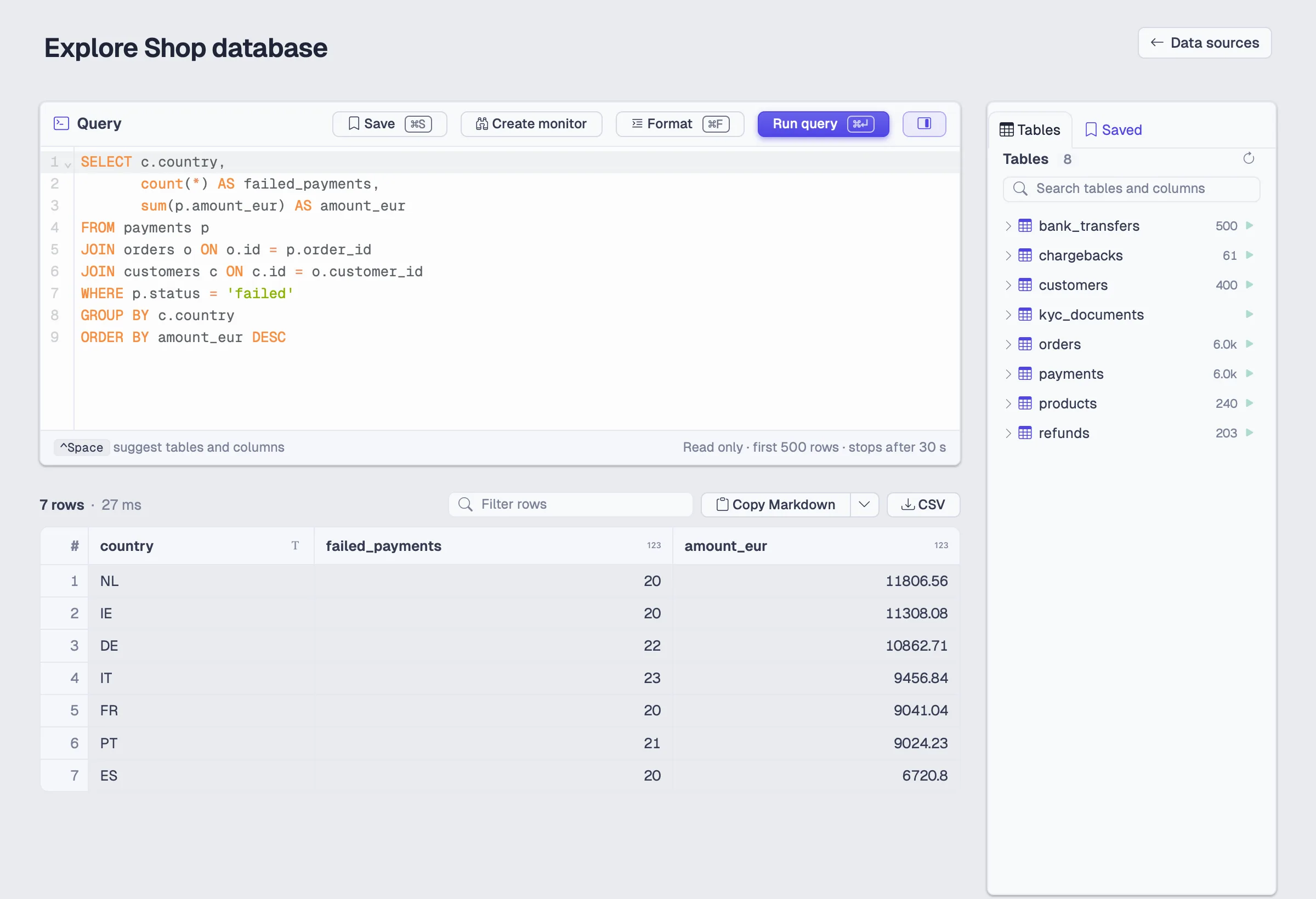
Write the SQL that finds the rows needing attention. Pulso runs it on your schedule and opens one signal per new row, never twice for the same one.
Explore monitors →Playbooks
Turn how your best person handles a case into steps: tasks, questions that branch, approvals, and actions that run on their own.
Explore playbooks →Signals
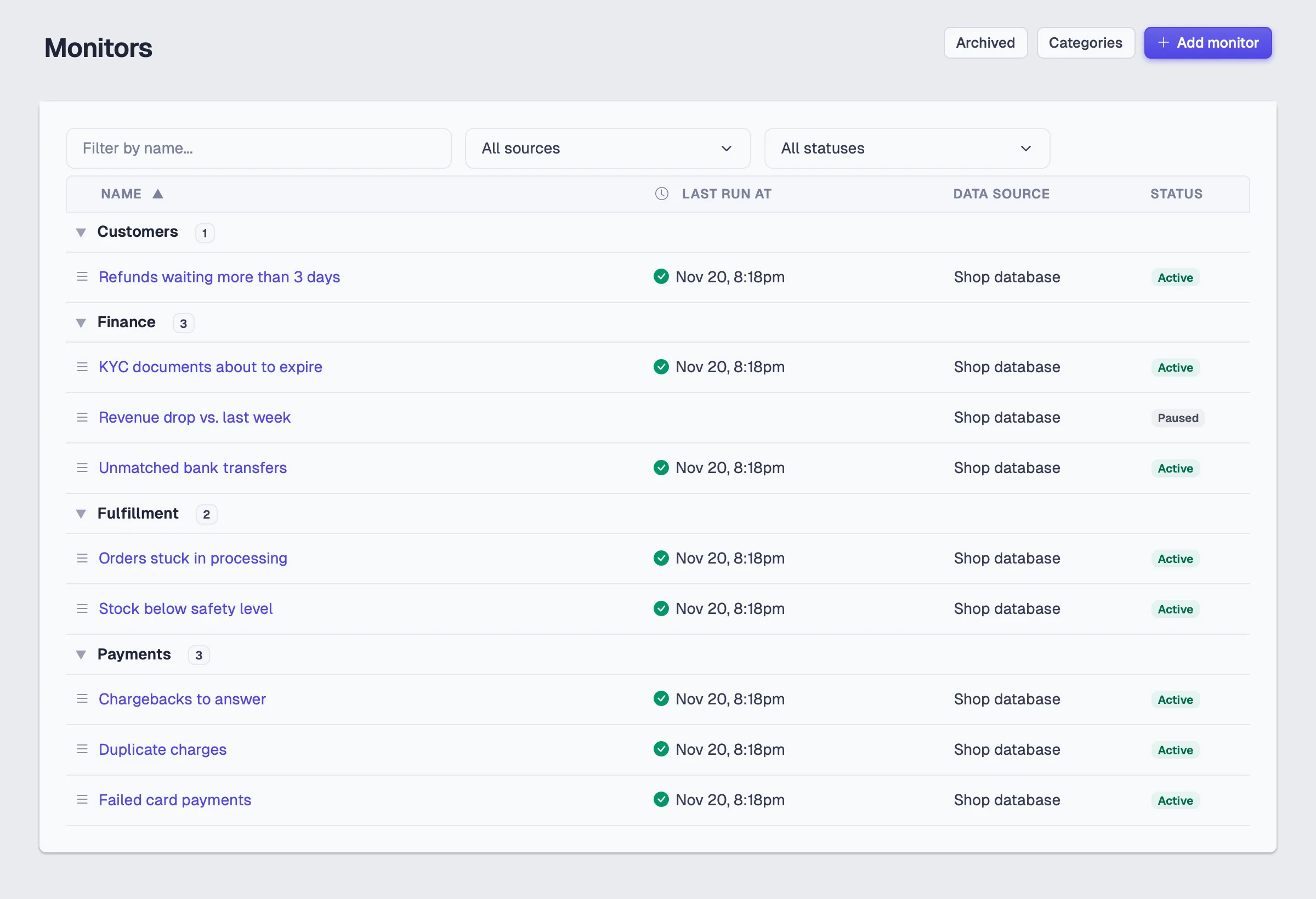
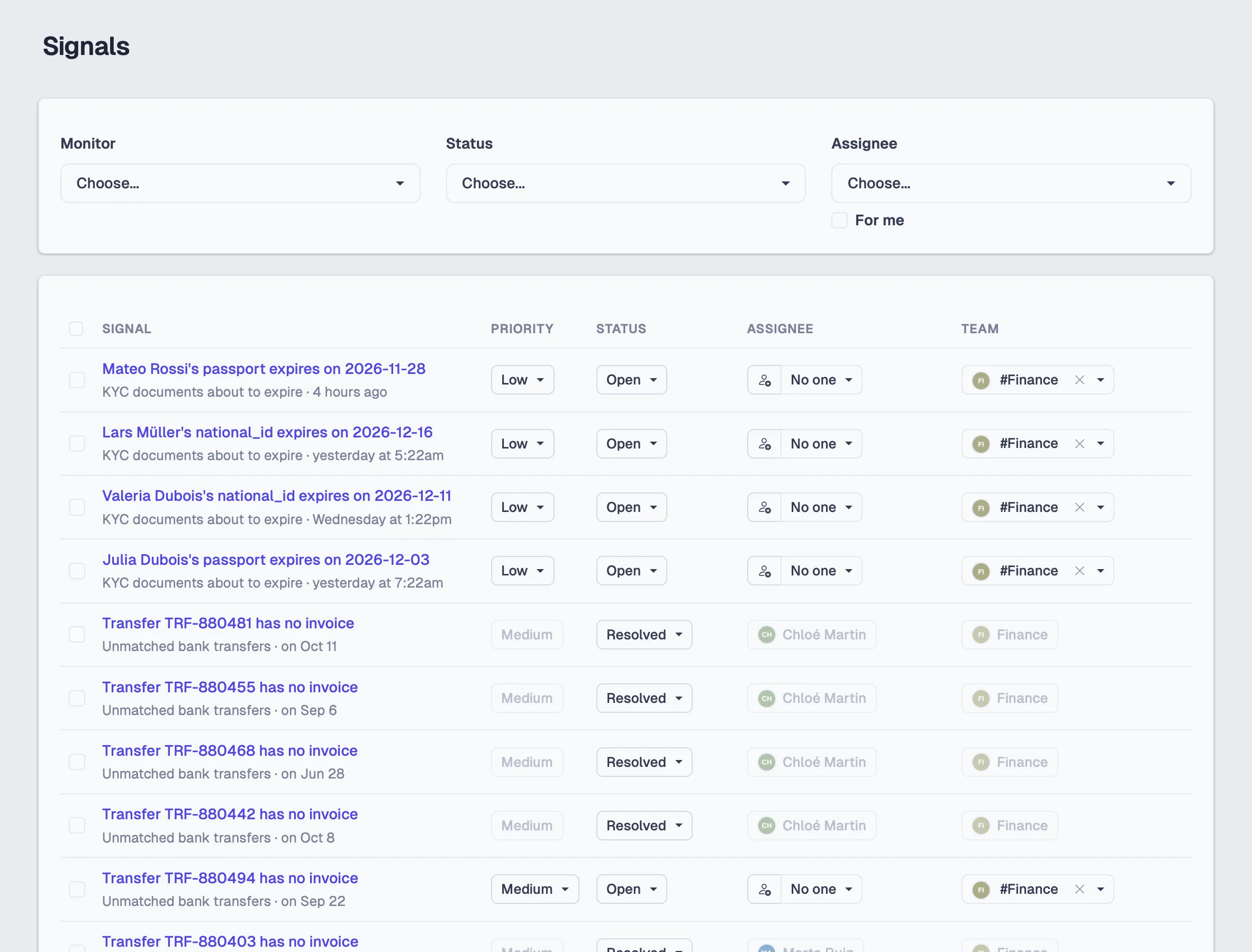
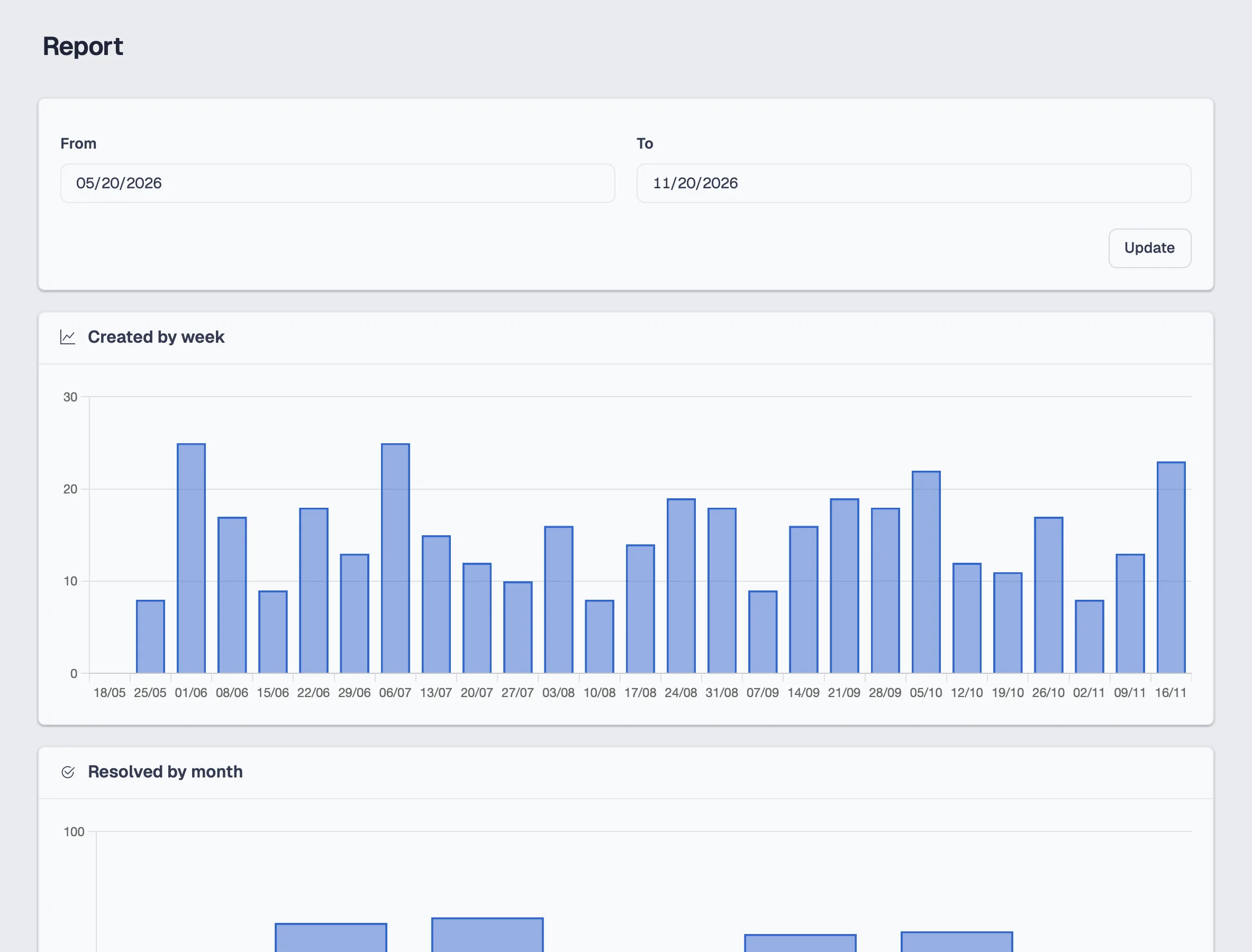
Every case lands in the right team’s inbox and in Slack, with its data, its owner and its playbook. Reports show where the time goes.
Explore signals →One loop, from data to a team that knows what to do
Design your playbooks
Turn tribal knowledge into repeatable processes. Each monitor has a playbook with the steps to handle its signals: tasks, questions that branch into different paths, approvals and automatic status changes.
More about playbooks →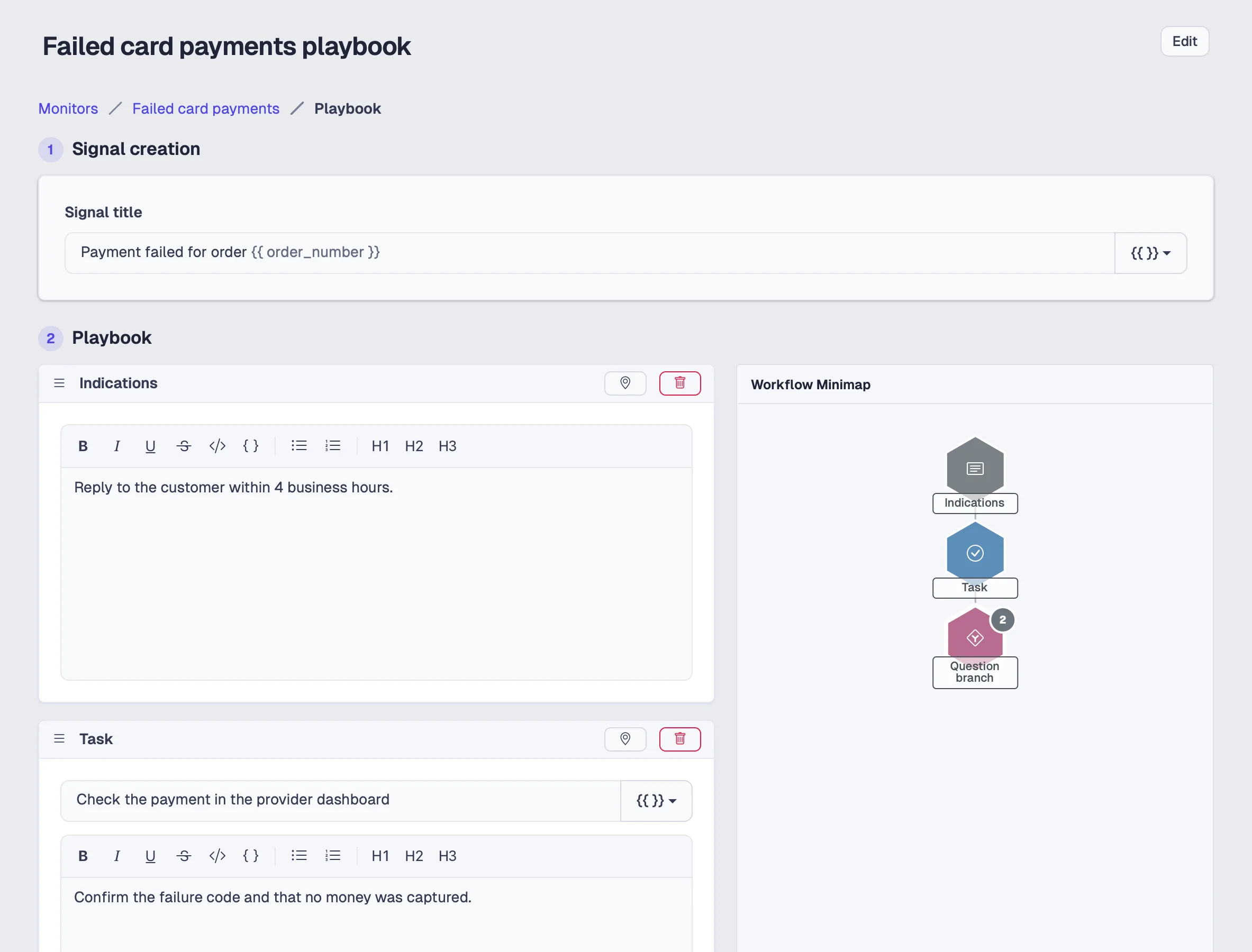
Your team handles it right in Slack
Pulso posts every signal to the team's channel, with the data that triggered it. Change the status, priority, owner or team from the message itself, and Pulso keeps both sides in sync.
- One message per signal, in the channel you choose
- Status, priority, owner and team, editable from Slack
- The message updates itself when the signal changes in Pulso
- Slack users mapped to Pulso members, so names match
What teams watch with Pulso
Examples from our demo shop, each with its query, how it avoids duplicates and the playbook to handle it.
Failed card payments
Card payments rejected by the provider, so the order is on hold until the customer pays.
Duplicate charges
The same order charged twice within 15 minutes.
Refunds waiting more than 3 days
Refund requests nobody has approved or rejected yet.
Orders stuck in processing
Paid orders that haven't left the warehouse after 48 hours.
Unmatched bank transfers
Incoming transfers that couldn't be matched with an invoice.
Revenue drop vs. last week
Daily revenue more than 30% below the same weekday last week.
Pulso gave us something we couldn't build ourselves without the engineering team. We can monitor critical operations, route alerts to the right people, and handle issues the same way every time. It's made our small ops team feel like a much bigger one.


Questions, answered
Do I need engineering resources to set up Pulso?
Only to get access to your data: a read-only database user or a system that can send a webhook. From there, your ops team writes the monitors and builds the playbooks on its own.
What kind of data sources can I connect?
SQL databases, which Pulso queries directly, and incoming webhooks: send JSON to the endpoint Pulso creates for you and every event can open a signal.
What's the difference between a monitor and a signal?
A monitor is a query that returns the rows needing attention, like "card payments that failed". Pulso runs it on a schedule. Each new row it returns becomes a signal: the case someone has to handle, with its data, its owner and its playbook.
Will I get the same signal every time the query runs?
No. You choose which columns identify a row, like the payment reference. Pulso opens a signal only the first time it sees that identifier.
Does it work with Slack?
Yes. Pulso posts each signal to the Slack channel you choose, with its data and controls to change the status, priority, owner and team. The message stays in sync with Pulso, whichever side the change comes from.
How do playbooks work?
A playbook is the list of steps for a monitor's signals: tasks to do, questions to answer, branches that depend on the answer, approvals, and actions Pulso runs on its own, like assigning the signal, changing its status or notifying Slack. Every signal follows the playbook of its monitor.
Can I see how every signal was handled?
Yes. Pulso keeps the full history of each signal: when it was created, who handled it, which steps were taken and how long it took. Reports show the trends over time.
How is Pulso priced?
Pulso is free during early access, with no credit card and unlimited users. We are still defining pricing; expect it to be linked to monitors and signals, which is where our cost is.
Can I run Pulso on my own servers?
Yes. Pulso ships as a Docker image that runs on Kubernetes or any Docker host, on AWS, Azure, Google Cloud or your own infrastructure. Write to [email protected] and we will help you deploy it.
Start with one monitor this afternoon
Pulso is free during early access. No credit card, unlimited users, and a direct line to the team building it.