If you can query it, Pulso can watch it
A monitor is a query that returns the rows needing attention. Pulso runs it on your schedule and opens a signal for each new one, with its data and the team that owns it.
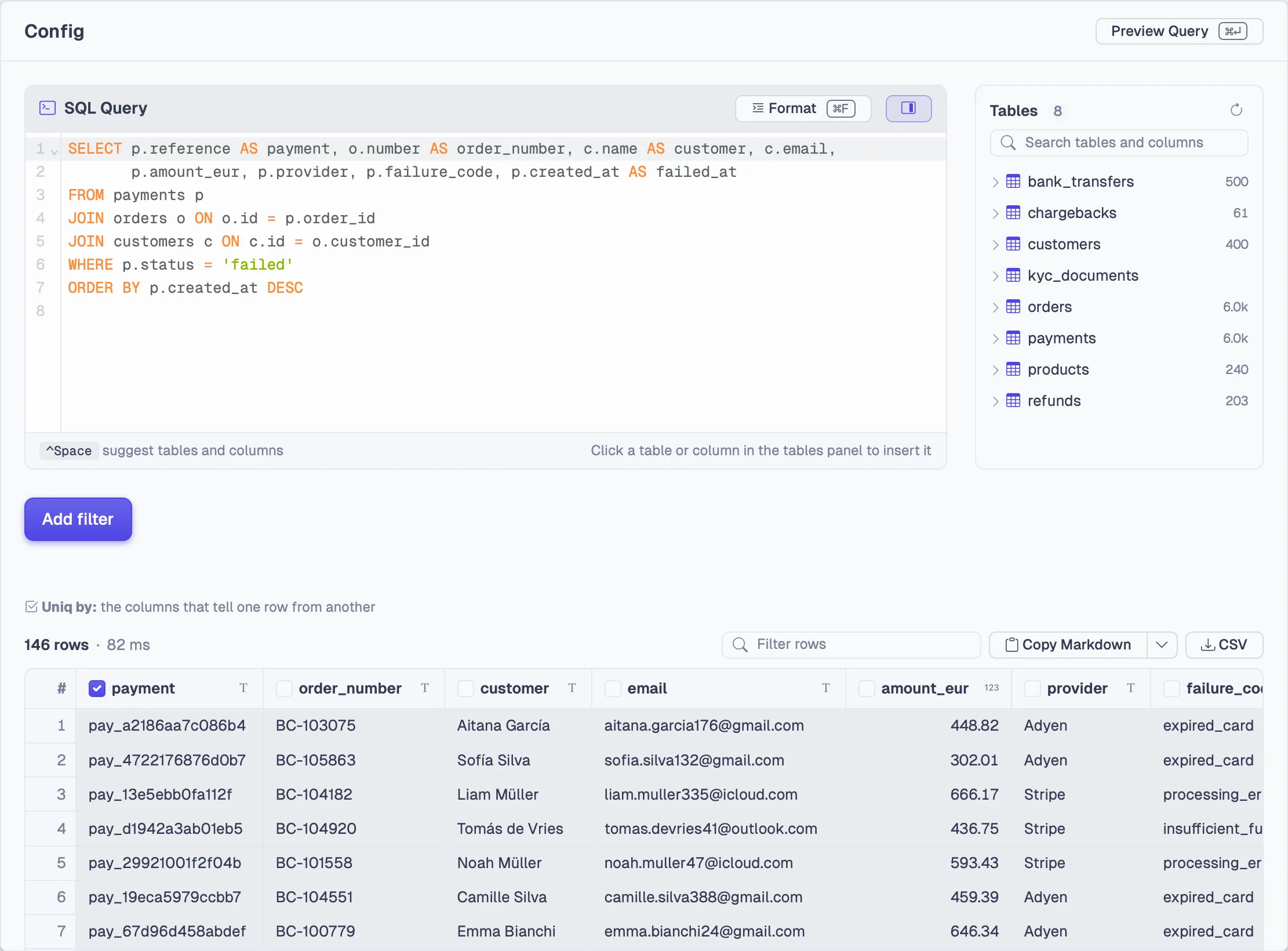
A SQL editor that knows your tables
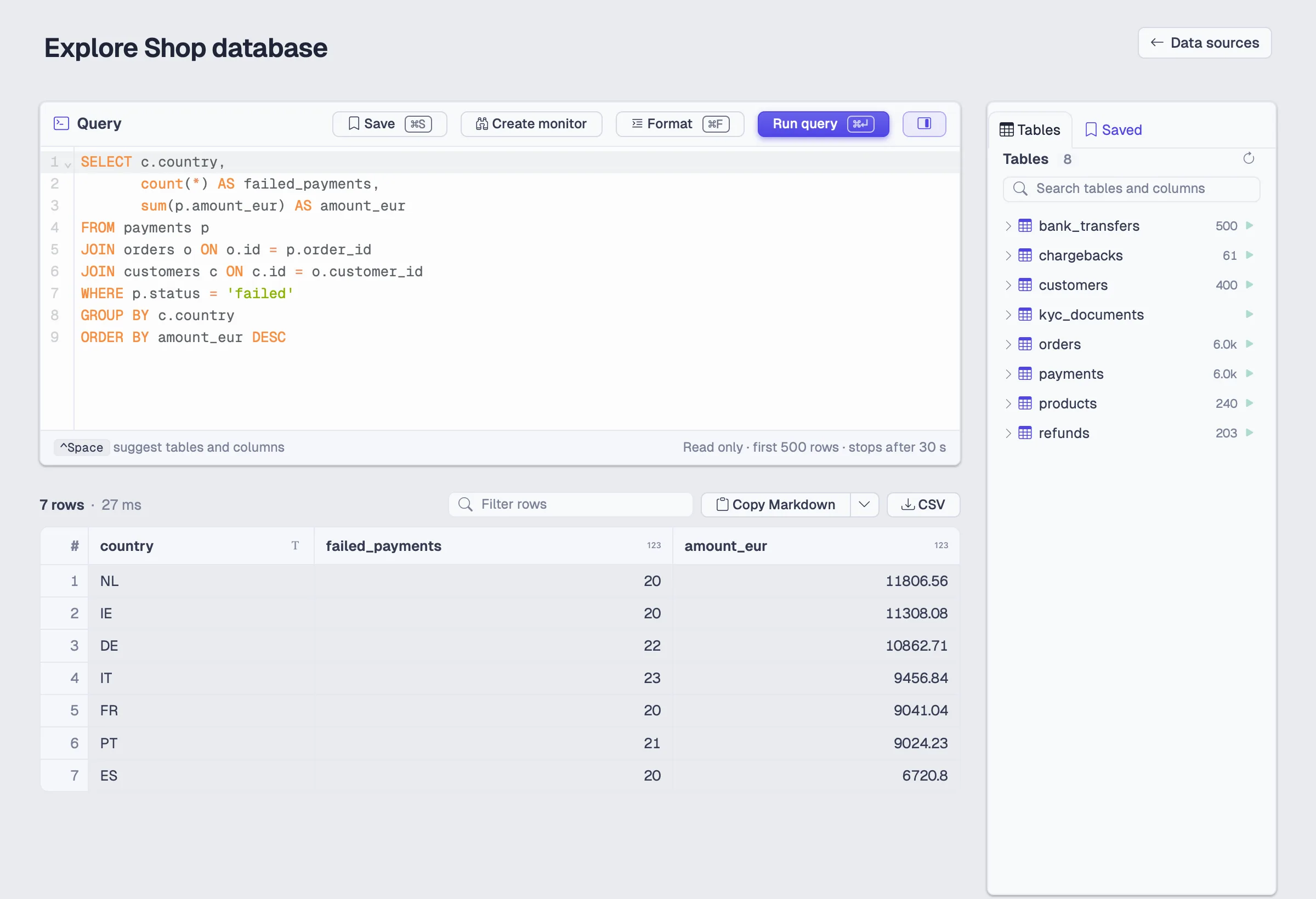
Browse tables and columns, get autocomplete as you type, and look at real results before you save anything. Queries are read-only, return the first 500 rows and stop after 30 seconds, so nobody slows down production by accident.
- Autocomplete for tables and columns
- Filter, copy as Markdown or export to CSV
- Save queries the team uses often
The rows are the alerts
No thresholds to tune. Write the query that returns exactly the cases someone has to handle, and choose the columns that identify each one.
Pulso remembers what it has seen: a failed payment that is still failed an hour later does not open a second signal. Column values fill the signal title, like Payment failed for order {{ order_number }}.
SELECT p.reference AS payment, o.number AS order_number, c.name AS customer, c.email,
       p.amount_eur, p.provider, p.failure_code, p.created_at AS failed_at
FROM payments p
JOIN orders o ON o.id = p.order_id
JOIN customers c ON c.id = o.customer_id
WHERE p.status = 'failed'
ORDER BY p.created_at DESCpaymentEvery check your operation depends on, in one place
Monitors live in categories, with the result of their last run and their status at a glance. Pause one while you fix the data and turn it back on when you are ready.
See it in real use cases →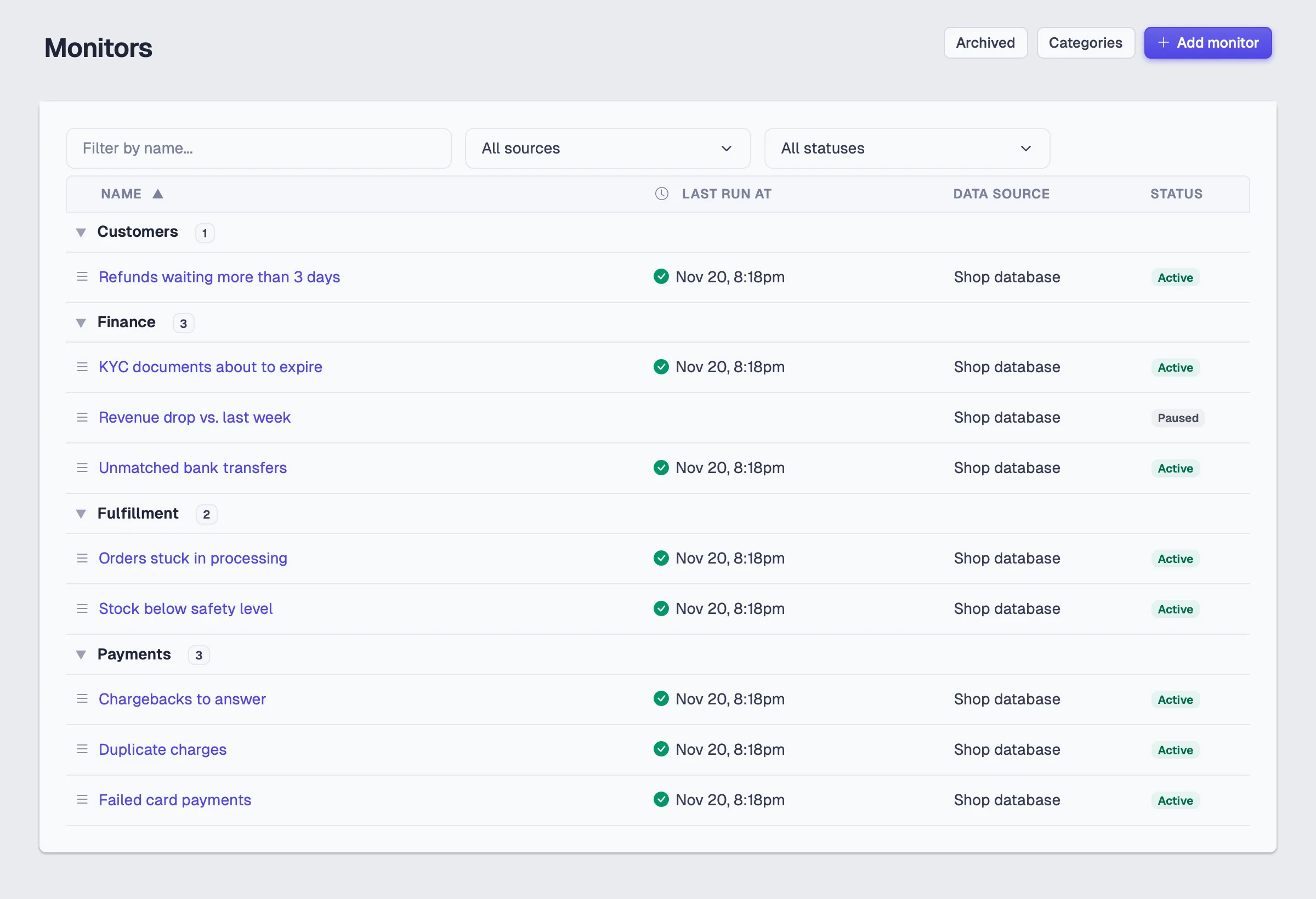
Everything a monitor can do
Your database
Query your production database, a replica or your warehouse directly. A read-only user is all Pulso needs.
Incoming webhooks
Pulso gives you an endpoint. Send it JSON from any system and each event can open a signal.
Your schedule
Every 5 minutes, hourly, daily, weekly, or a cron expression for anything in between.
No duplicates
Pick the columns that identify a row. The same payment never opens a second signal.
Notification-only
Some checks just need a heads-up. Send them to Slack, email, SMS or a webhook without adding work to the inbox.
Categories and teams
Group monitors by area and send each one’s signals to the team that owns it, with a default priority.
Start with one monitor this afternoon
Pulso is free during early access. No credit card, unlimited users, and a direct line to the team building it.