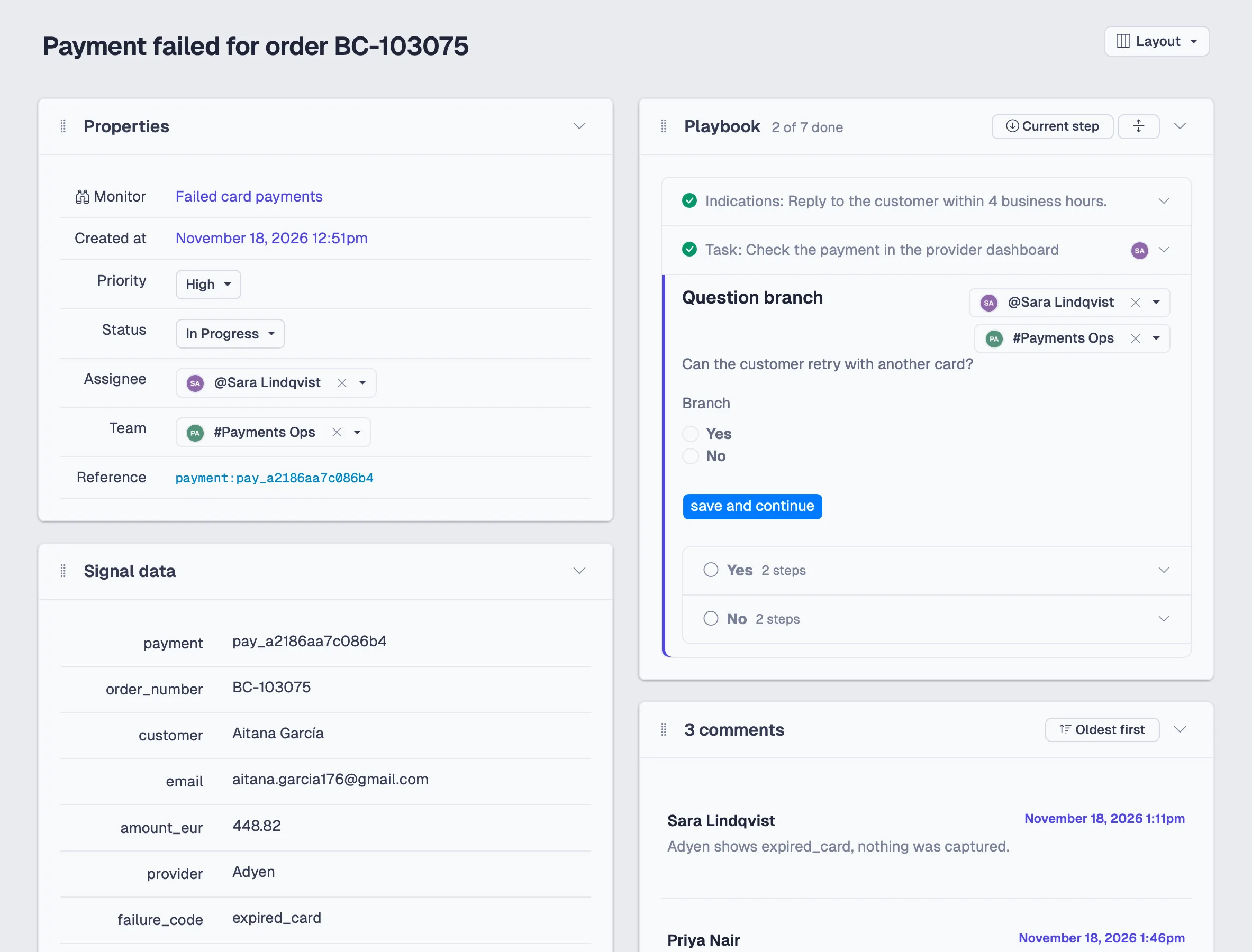
Every case, with an owner and a next step
A signal is a case someone has to handle: the row your monitor found, the team that owns it, its playbook and the conversation around it. Nothing gets lost in a channel.
What is open, what is moving, who is on it
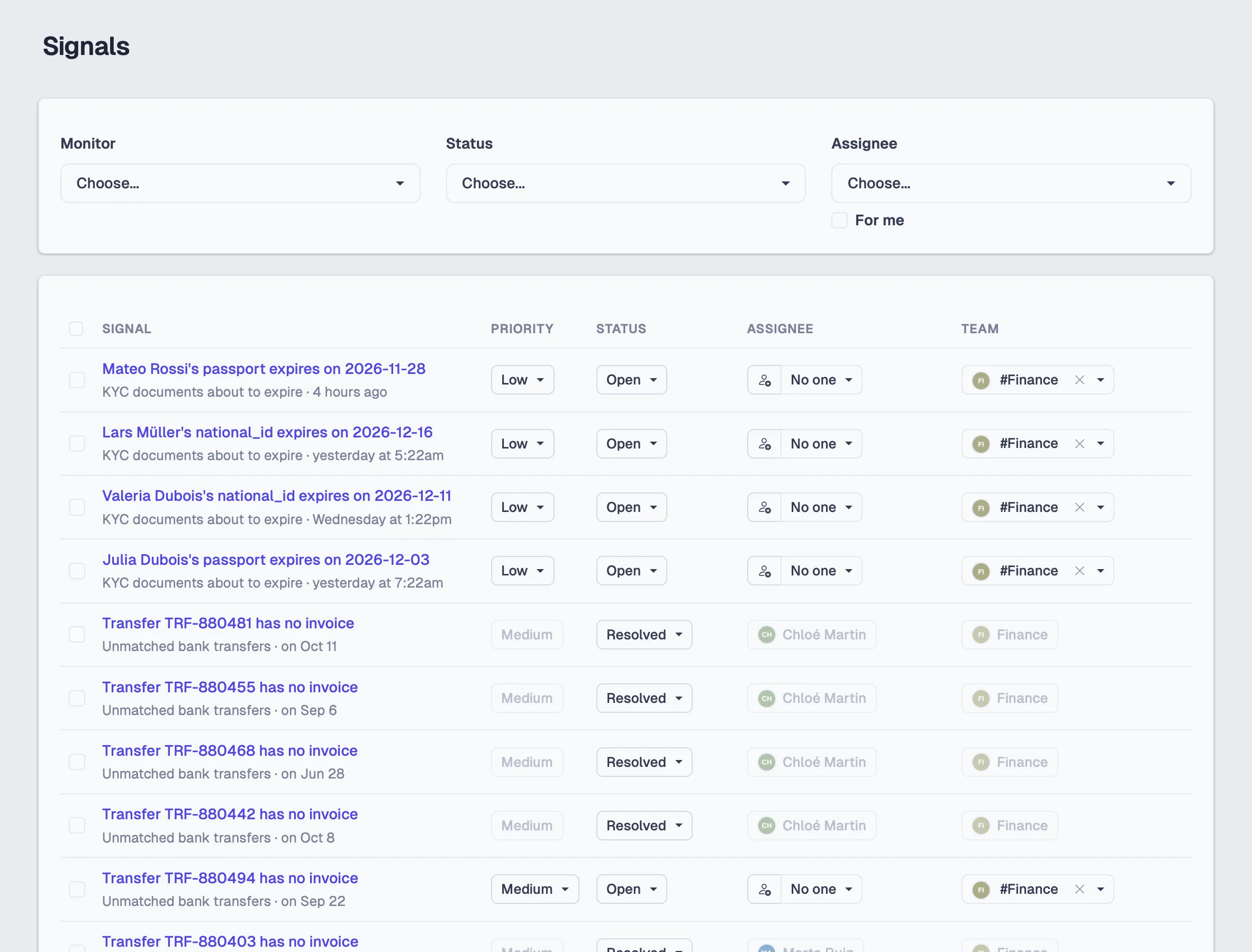
Signals from every monitor in one list, with their priority, status, owner and team. Filter by monitor, status or assignee, or tick “For me” to see just your queue.
- One signal per case, never a duplicate
- The data that triggered it, right on the signal
- Change priority, status, owner and team right from the list
Handle it without leaving Slack
Pulso posts each signal to the channel you choose, with its data and controls to change the status, priority, owner or team. The message updates itself when the signal changes, wherever it was changed.
Map Slack users to Pulso members once, and the right names show up on both sides.
See where the time goes
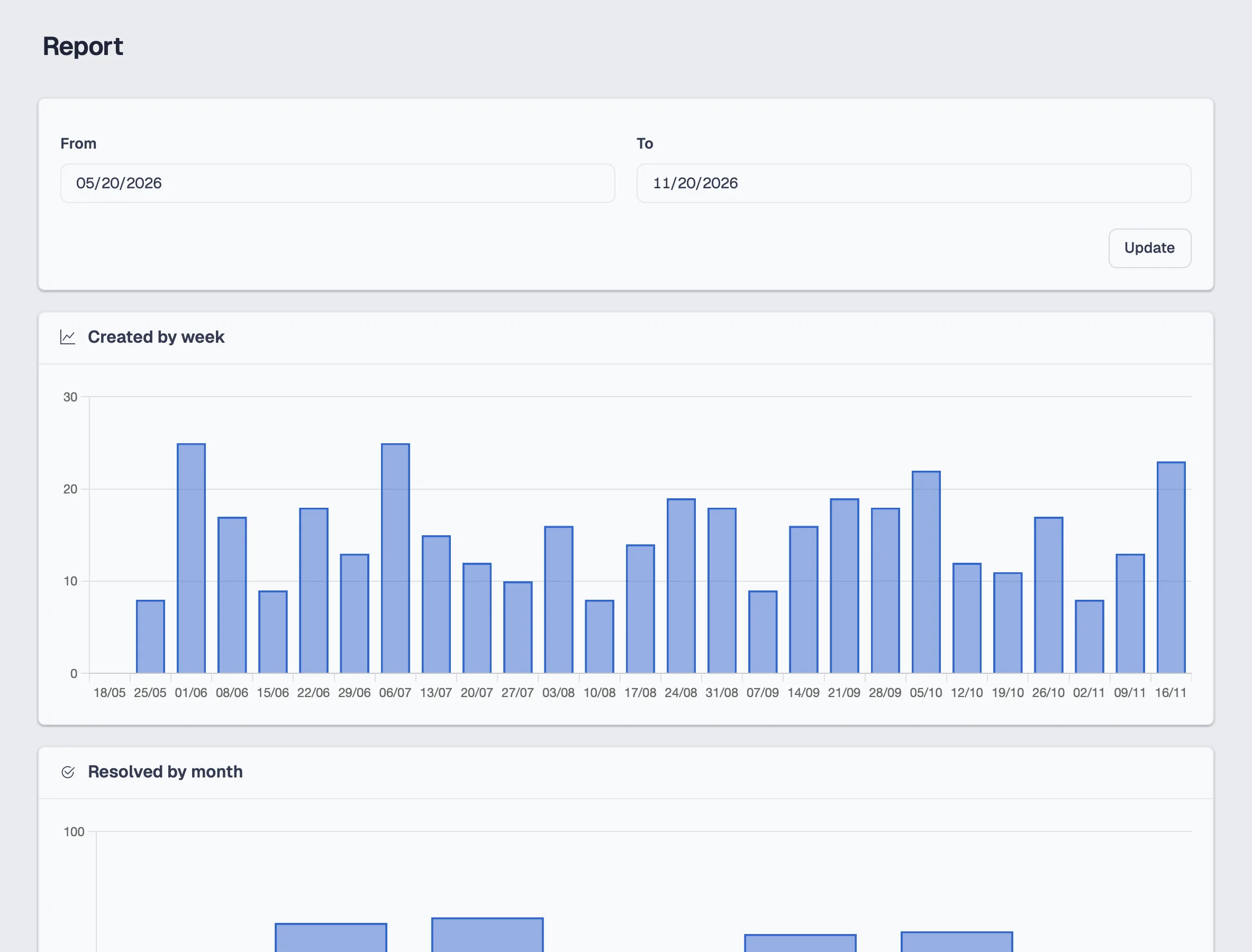
Pulso keeps the history of every signal: when it appeared, who handled it and how long it took. Reports show which problems are growing and how quickly they get resolved.
Built for teams that share the load
Teams
Each monitor sends its signals to a team. Turn on auto-assign and Pulso spreads them among its members.
Availability
Members set when they are around, so the team knows who can pick up a signal right now.
Priority and status
From low to critical, and from open to resolved. Change them by hand or from a playbook step.
Comments
Discuss the case where it lives. Playbooks can leave comments too, so the history explains itself.
Outgoing webhooks
Send signal events to your own systems and keep a log of every delivery.
Audit log
Every change to a monitor, playbook or signal is recorded with who made it and when.
Start with one monitor this afternoon
Pulso is free during early access. No credit card, unlimited users, and a direct line to the team building it.